ONLINE COURSE · INTERIOR DESIGNERS · ARCHITECTS · HOME STAGERS
YOUR WORK DESERVES VISUALS THAT MATCH ITS QUALITY
Learn Canva step by step - create professional moodboards, branded client materials and stunning social media content. No graphic design background needed.

500+ Designers trained ǀ Live since 2024
SOUND FAMILIAR?
Your work is exceptional.
Your materials
don't reflect that yet.
Design professionals create beautiful spaces - but send proposals in Word, share moodboards as screenshots and post on social media with free Canva templates that look like everyone else's.
Generic templates that don't fit your brand
Your visual communication should be as intentional as your designs. Customize your materials. Attract your ideal clients.
Hours building a moodboard from scratch
Gathering images, resizing, aligning, formatting - every project moodboard feels like a design project in itself.
Inconsistent visual identity across materials
Your proposals look different from your social posts, which look different from your presentations. It undermines your premium positioning.
Social content takes too long to produce
Coming up with content, designing posts and resizing for every platform - it eats into time you don't have.
WHAT CHANGES FOR YOU
SIX WAYS CANVA TRANSFORMS YOUR DESIGN BUSINESS
Each skill builds on the last - so by the end you have a complete, branded visual system for your entire practice.
01
Professional Moodboards in Minutes
Create stunning, client-ready project moodboards with consistent colors, textures and finishes - in a fraction of the time.
02
A Cohesive Visual Brand
Set up your Brand Kit once - fonts, colors, logo - and apply it instantly to every document you create. Consistent and effortless.
03
Polished Client Documents
Proposals, procurement lists, project descriptions, agreements, e-books and lead magnets that look as professional as your design work.
04
Presentations That Win Projects
Slide decks that communicate your vision clearly - with the visual hierarchy, layouts and confidence to close clients.
05
Social Content Without the Struggle
Design posts, stories, reels and videos that attract your ideal clients - using your own templates you can reuse every week.
06
AI-Powered Tools Inside Canva
Use Canva's built-in AI tools - Magic Write, image generation, background removal - to work even faster on every project.
WHAT YOU'LL CREATE
A GLIMPSE OF WHAT CANVA CAN DO FOR INTERIOR DESIGN
The design tool that works without a designer
Moodboards
Create professional project moodboards from scratch—faster and with greater creative clarity.
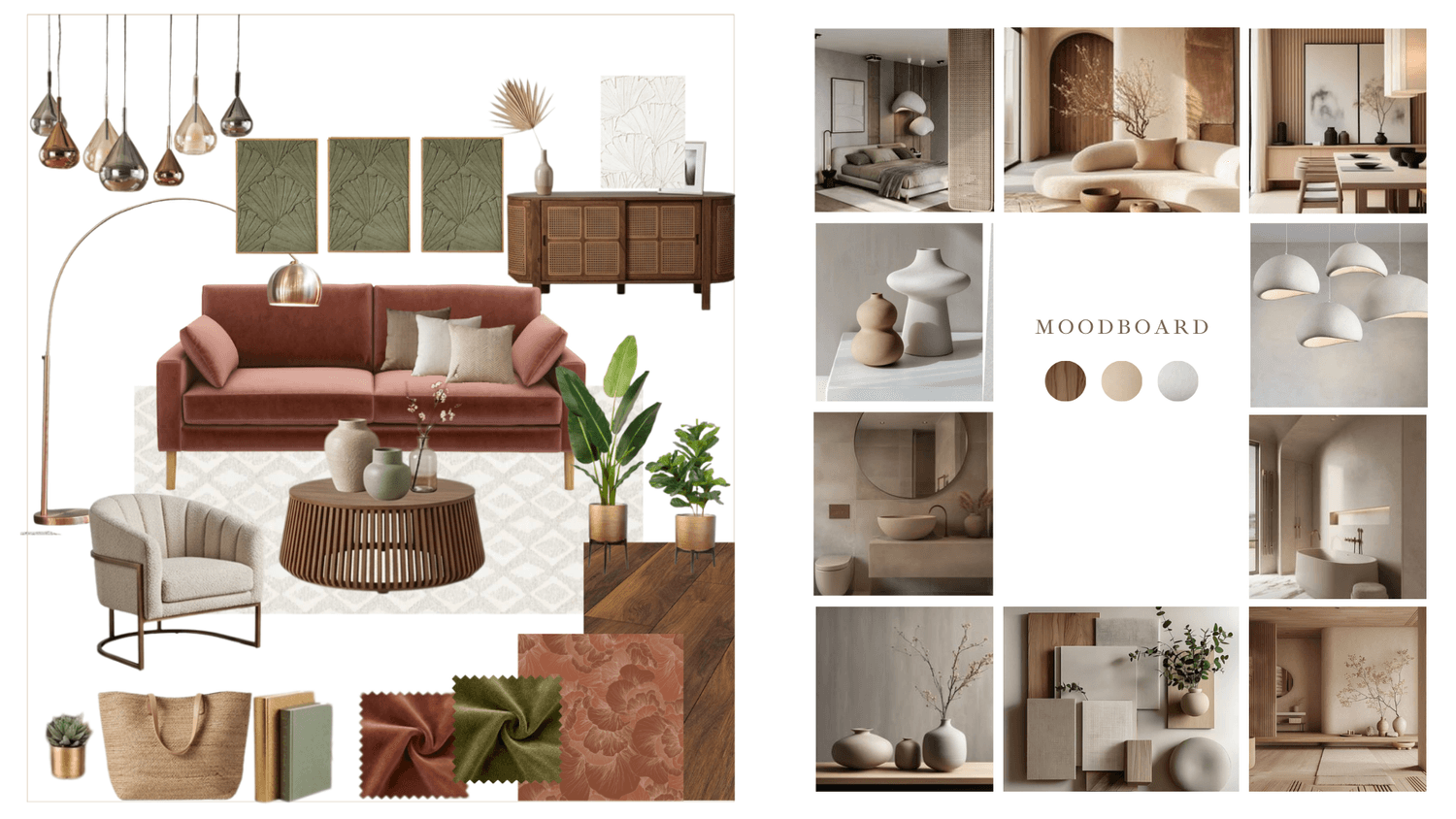
Presentations
Craft impactful, AHA-moment presentations that reflect your expertise and design perspective.
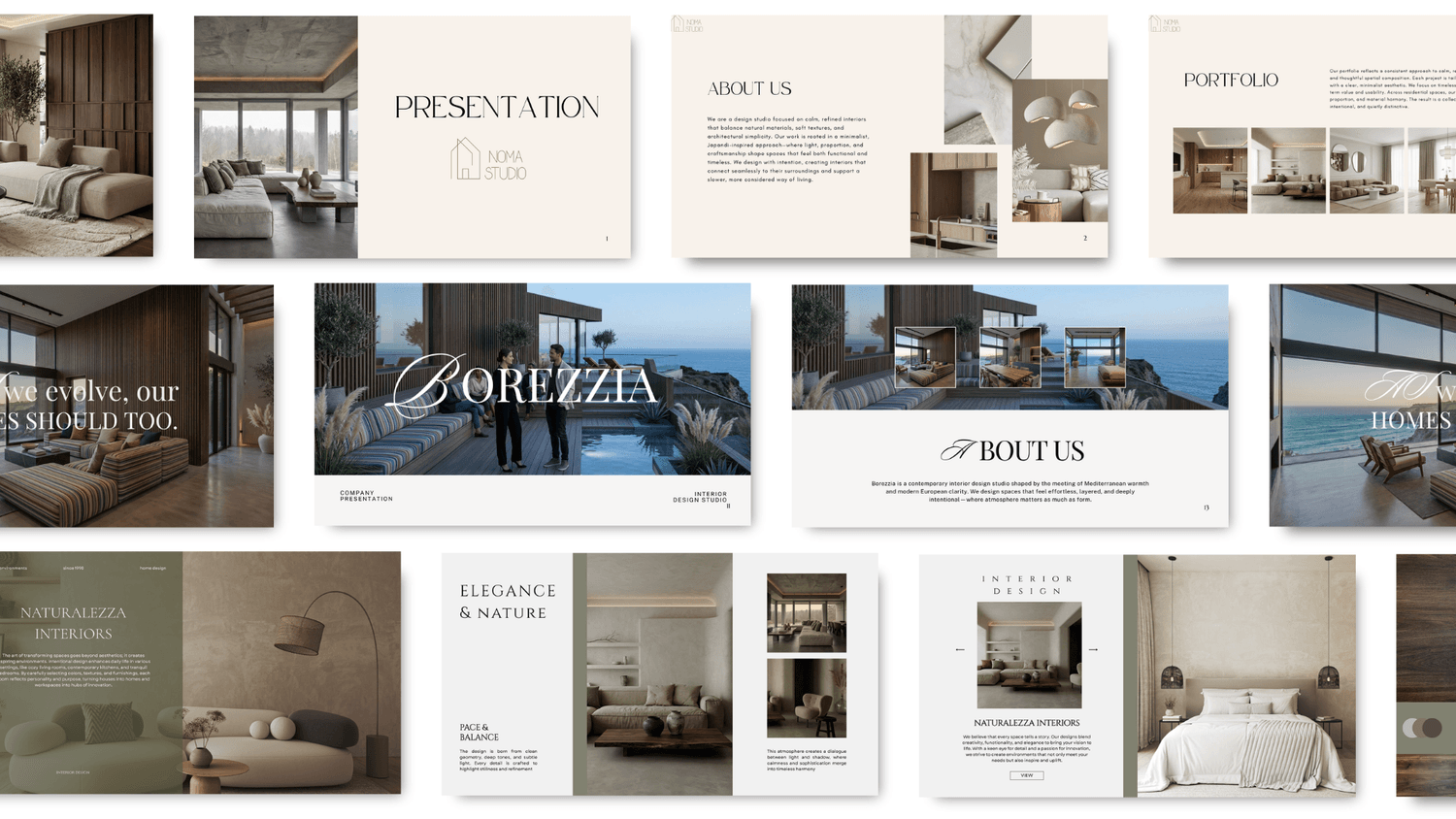
Proposals & procurement lists
Create clear, professional proposals and well-organized procurement lists for smooth, accurate execution.
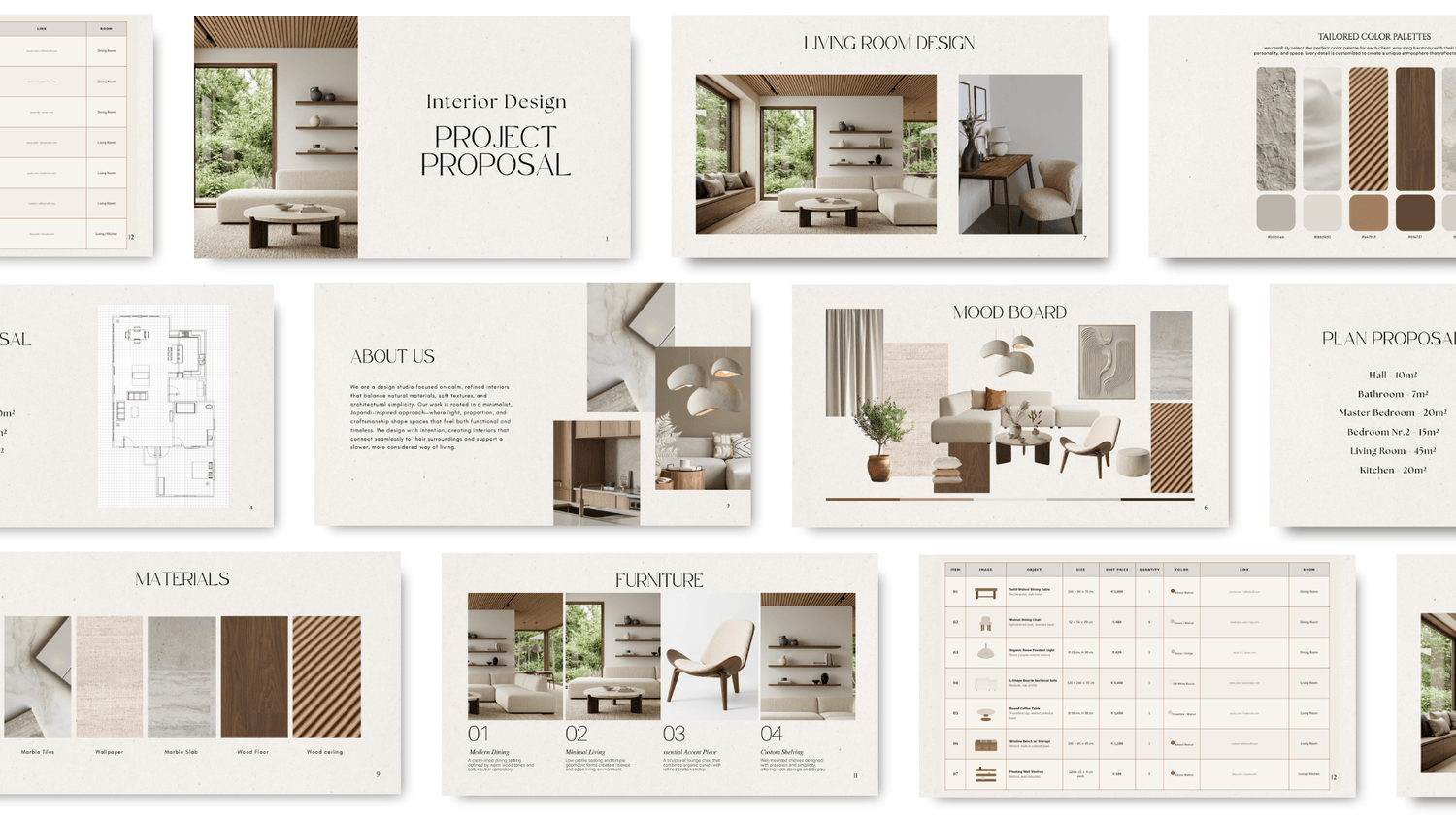
E-books & lead magnets
Create clear, engaging e-books and lead magnets that attract and convert your audience.
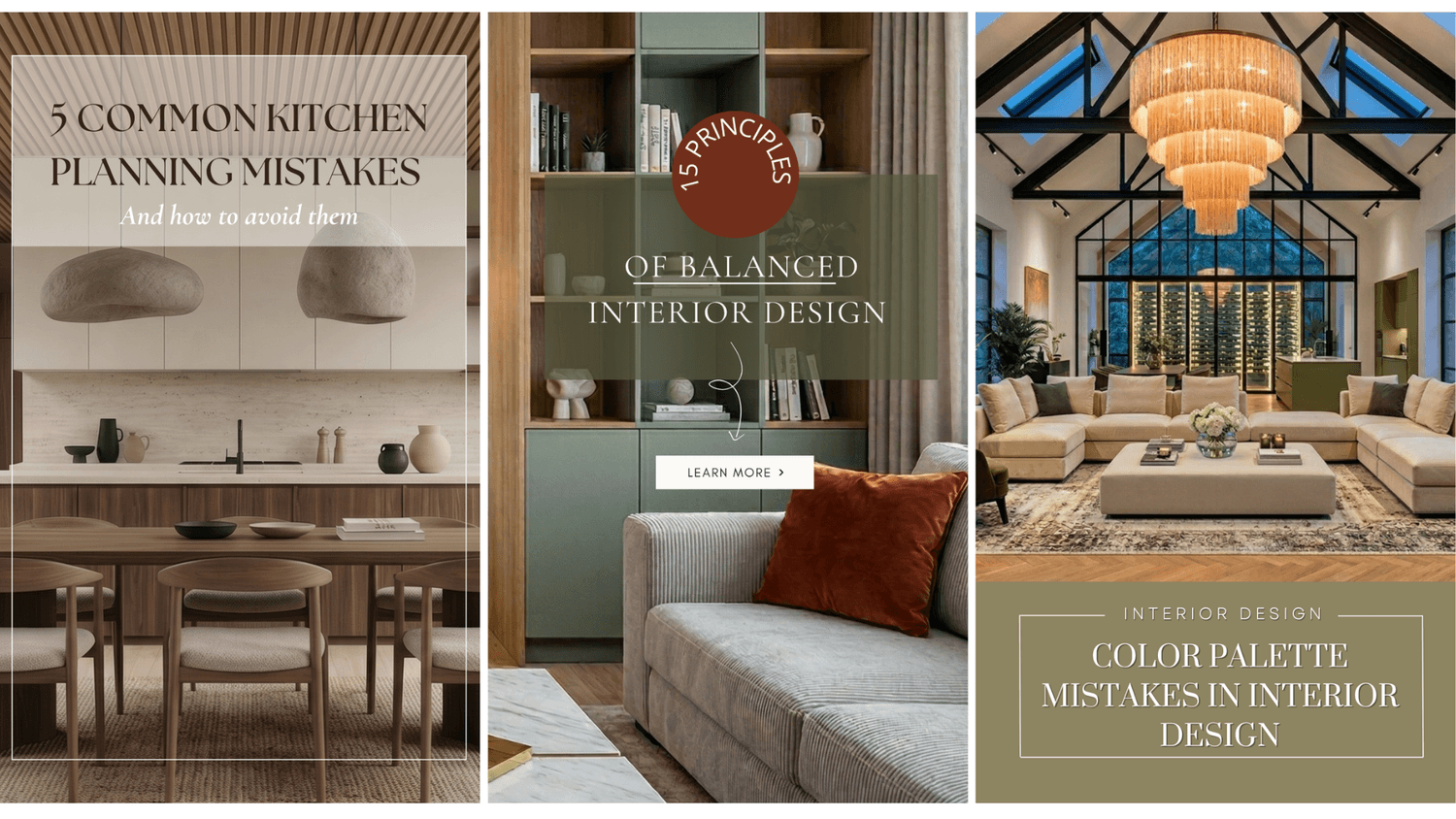
Social media posts
Create consistent, visually aligned posts that communicate your design style and strengthen your brand presence.
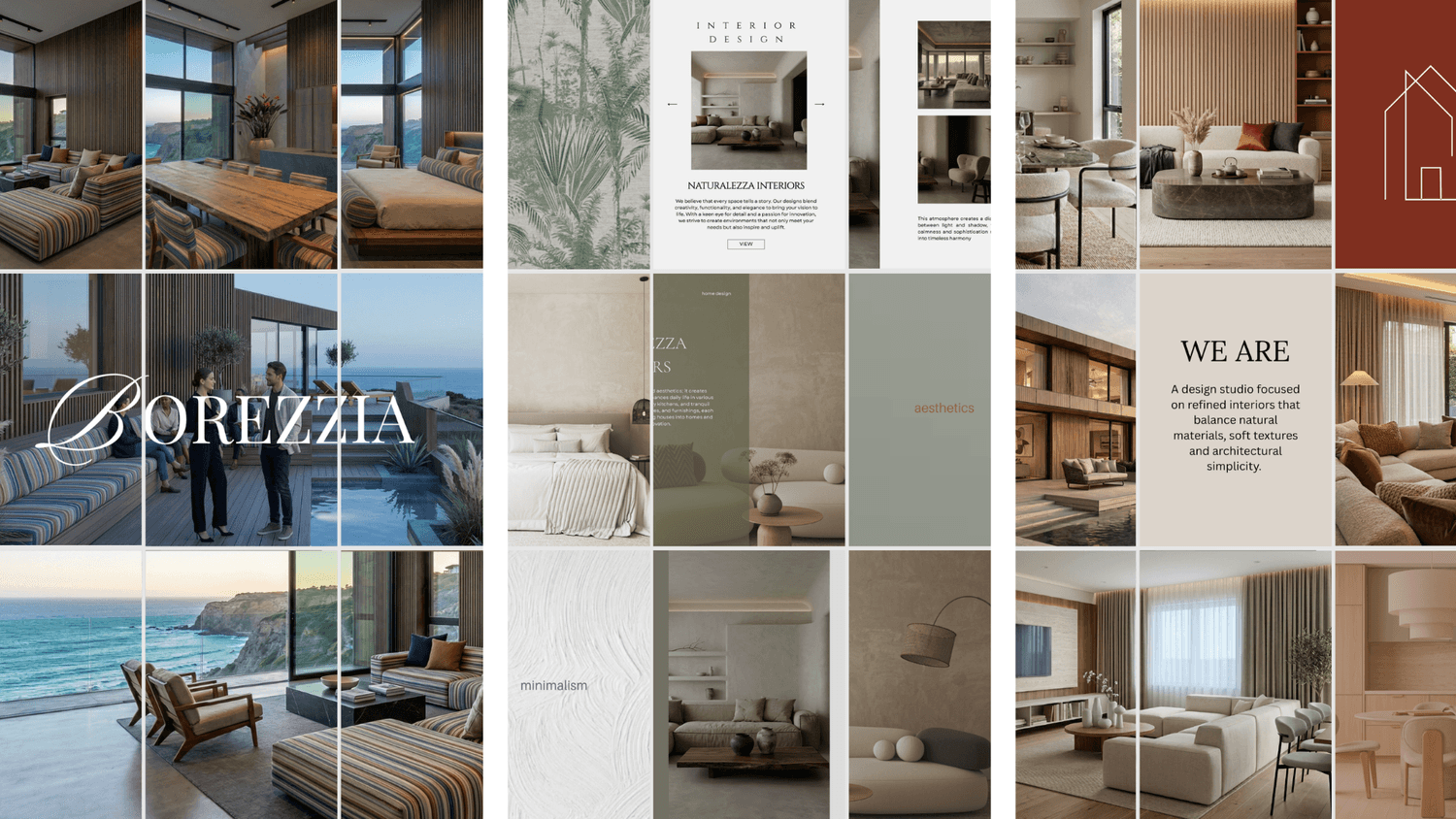
Reels & videos
Create engaging short-form videos that showcase your designs and bring your concepts to life.
COURSE CURRICULUM
SEVEN MODULES - FROM FIRST LOGIN TO FULL BRAND SYSTEM
Every lesson is hands-on. You'll be creating real, usable materials from the very first session
01
Getting started with Canva
— Canva interface and functions - complete overview
— Free vs Pro: what you actually need and when to upgrade
— Template library navigation and keyword search
— Setting up your account for professional use from day one
— Canva on mobile - key functions and practical tips
02
Your brand kit - colors, fonts & identity
— How to work with colors
— Setting your brand colors
— Choosing and pairing fonts that reflect your style
— Creating a consistent visual language across all materials
— Saving brand presets for instant use on every project
— Logo and business card creation - step by step
03
Project moodboards
— Designing professional moodboards from scratch
— Colors, textures, finishes and style references
— Working with photos: uploading, sizing, filters and effects
— Customizing templates to match your client's style
04
Client documents & proposals
— Quotation and proposal layouts that impress clients
— Procurement lists and project descriptions
— How to maintain brand consistency across all documents
— Icons, lines, frames and graphic elements
— Exporting to PDF, JPG and PNG for client delivery
05
Presentations that win projects
— Slide layouts and visual storytelling hierarchy
— Charts, diagrams and timeline graphics
— Portfolio and studio introduction one-pagers
— Export options and tips for presenting live or sharing online
— E-books and lead magnets
06
Social media posts, stories & reels
— Social media moodboards - your content identity
— Designing posts for Instagram, Facebook, Pinterest and LinkedIn
— Stories and Reels
— Videos
— Content batching: create a week of posts in one session
07
AI tools inside Canva
— Text to Image - generate visuals directly in Canva
— Background removal and image enhancement with AI
— Magic Resize and auto-formatting tools
— Other AI tools and applications
HOW DOES CANVA FOR DESIGNERS DIFFER FROM THE AI COURSE?
Canva for Interior Designers
— Design your branded visual identity
— Create professional client-facing documents
— Build moodboards with your curated images
— Create and edit your images, videos and reels
— Produce social media content consistently
— Work with Canva's built-in AI features
— Templates and presentations for client meetings
AI for Interior Designers
— Generate photorealistic renders from scratch
— Redesign spaces and swap materials with AI
— Optimize your business, marketing, and client workflows using AI
— Automate repetitive tasks
— Create images and videos in minutes
— Build a full AI-powered design system
500+ DESIGNERS · SINCE 2024
STUDENTS RESULTS
"In the future I'll be able to present my work faster and more beautifully — I really enjoyed every moment."

"Every moment was enjoyable. With this program I'll be able to present my projects faster and more beautifully. The video creation module was especially useful."
Eva M., Interior designer
"A practical, hands-on workshop with a great atmosphere. A unified visual identity is essential today - and Canva makes it achievable. It genuinely speeds up my work. Natalia's patient and clear teaching style made a real difference."
Andrea S., Interior designer
"I recommend this to anyone who wants practical, genuinely useful knowledge. There's no problem if you're a beginner - every question gets answered. And if you already use Canva, you'll still learn a lot of things you didn't know."
Timea F., Freelance creative & entrepreneur
"Very inspiring and practical - it opened up so many new possibilities for my social media. Canva's tools help me quickly create stunning posts, plans and presentations. I recommend it to anyone who wants a creative and professional visual presence."
Veronica K., Interior designer
ENROL TODAY
CHOOSE YOUR LEARNING PATH
Join 500+ design professionals who have elevated their visual presence with Canva. Step-by-step, practical and ready to use from day one.
CANVA COURSE
-
Sign up for first-access pricing when we go live.
+ 12 months updates from launch
CANVA FOR INTERIOR DESIGNERS
✓ All 7 Canva modules
✓ Module 1: Getting started - interface, free vs Pro
✓ Module 2: Brand Kit - logo, fonts, colours
✓ Module 3: Moodboard creation
✓ Module 4: Client documents - proposals, consignment lists
✓ Module 5: Presentations that win projects
✓ Module 6: Social media - posts, Stories, Reels and videos
✓ Module 7: AI tools inside Canva
✓ 12 months of course updates
CANVA + AI COURSE
-
Enter your details below to access early-bird pricing at launch.
+ 12 months updates from launch
CANVA FOR INTERIOR DESIGNERS
AI WORKFLOW
✓ Everything in Canva course: all 7 Canva modules.
✓ Everything in AI course: all 8 AI modules
✓ 12 months of course updates
LEAVE YOUR DETAILS BELOW TO UNLOCK EARLY-BIRD ACCESS
FREQUENTLY ASKED QUESTIONS
None at all. The course is built from the ground up for non-designers.
Yes - almost every student who has "used Canva before" discovers significant features and workflows they were missing. The Brand Kit setup alone, combined with the template system, typically transforms how they use the platform. You'll leave with a full professional system, not just individual skills.
No. The course covers both the free and Pro versions and clearly explains which features belong to which tier. You can follow every module with a free account and decide for yourself whether the Pro upgrade is worthwhile for your workflow.
You'll build real, usable materials from the very first session: a project moodboard, a client proposal, a social media post set, a presentation and your own Brand Kit. You walk away with a complete visual system you can use immediately - not just a set of skills.
The AI course focuses on generating photorealistic renders, redesigning spaces with AI, creating walkthrough videos and automating workflow tasks using ChatGPT, Gemini and Claude. This Canva course focuses on building your visual brand identity, creating professional client-facing documents and producing consistent social media content. They complement each other perfectly - many students take both.
Absolutely. The skills and templates work across all three professions.
AI & Canva courses for interior designers, architects and home stagers
www.designerslearnai.com



© 2026 Designers Learn AI. All rights reserved.