
AI rendering
Artificial intelligence today is already capable of supporting interior designers, architects and home stagers in numerous entrepreneurial and design tasks. One of the most dynamically developing areas is AI rendering, that is, the creation of photorealistic visual plans with the help of artificial intelligence.
What is AI rendering? – Quick answers in a professional approach
What is rendering with AI?
Rendering with AI is a process during which artificial intelligence generates a realistic, rendered visual plan from the available 3D plan.
The basis of the process is a 3D visual plan, which was created in any interior design software (for example ARCHLine, Cinema 4D or Homestyler), and a precise, professionally formulated instruction, that is, an AI prompt.
Is programming knowledge necessary?
AI platforms operate in a user-friendly way and can be used without programming knowledge. At the same time, it is essential that the designer acquires prompting techniques. Professional knowledge and the AI tool together ensure the creation of truly good quality, photorealistic rendered visual plans.
The role of artificial intelligence in visualization design
AI technology is developing at an extremely fast pace. One year ago we were still mainly talking about experimental solutions and promising directions in the field of rendering. Today it can already be stated with certainty that rendering with AI in many cases provides stable, fast and professional quality results.
Artificial intelligence is not exclusively capable of working from complex 3D visual plans. It also creates lifelike, photorealistic images from simple flat wall views or concept sketches.
In addition, with the help of AI different furniture colors, textures, wallpapers or wall paints variations can be quickly tested. The creation of variations can be realized within minutes, which significantly supports the design process and also the decision-making. Visualization design thus becomes more efficient, and the client can more easily imagine the final interior.
Photorealistic AI rendering
AI-powered rendering works best when you have the right prompts and a clear understanding of the process. With a structured and conscious approach, you can achieve not only visually impressive results but also significant time and energy savings throughout the design process.
From 3D model to photorealistic interior
If a 3D model is available, AI can elevate the concept to a photorealistic level. It accurately represents lighting, shadows, reflections, as well as different furniture pieces and material surfaces, resulting in a highly realistic interior visualization.
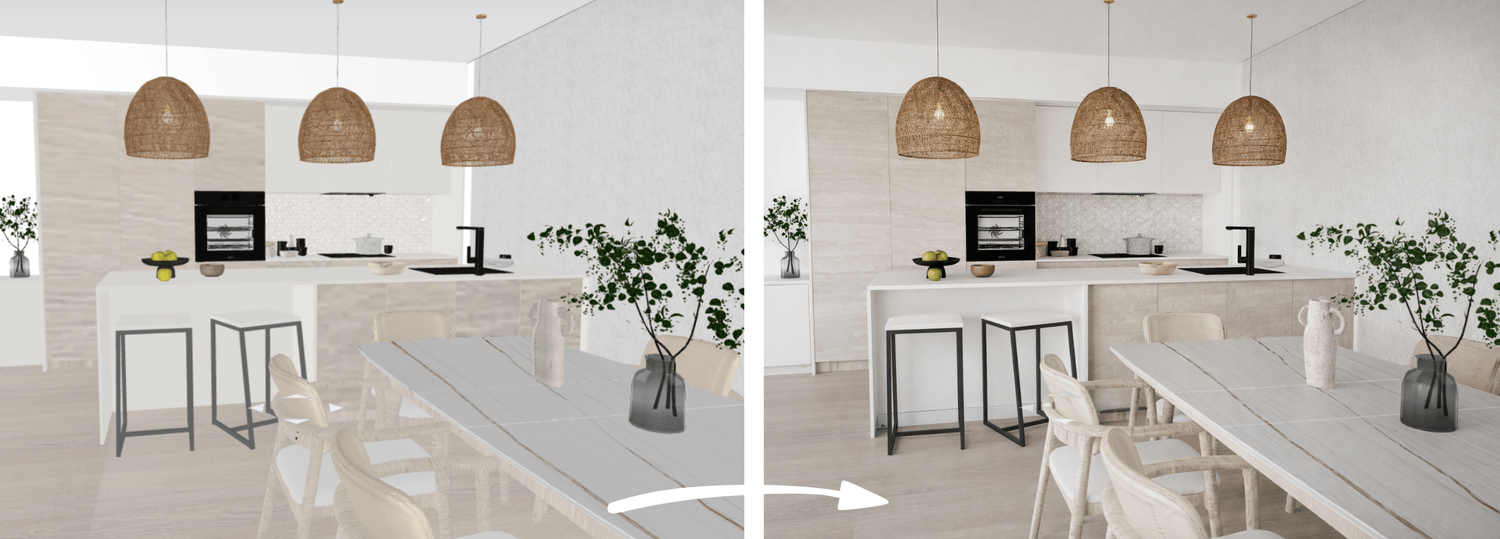
Image quality improvement and re-rendering
It can happen that an interior design software creates a technically correct rendering, but the visual quality is weaker -for example, the image is not sharp enough or the colors look dull. In such cases, it is worth re-generating or refining the existing rendered image with AI. The result is a sharper image, higher resolution and a more professional overall appearance.
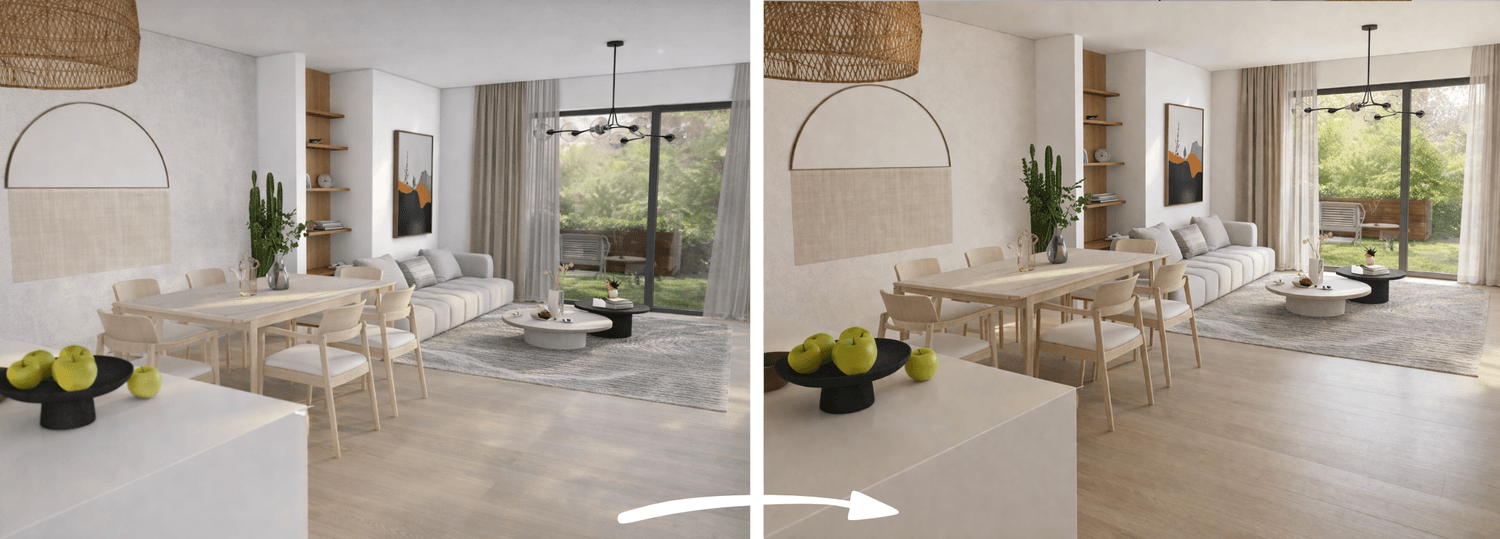
Restyling existing interior renderings
In the case of existing renderings, AI can transform the space visually without changing the layout or wall structure. Furniture can be replaced, and different furniture colors, wallpapers, wall colors and materials can be tested before execution.
This is especially effective when the client is unsure between several color or material options. Even during a live consultation, different alternatives can be created within minutes. Visual comparison supports faster and more informed decision-making.
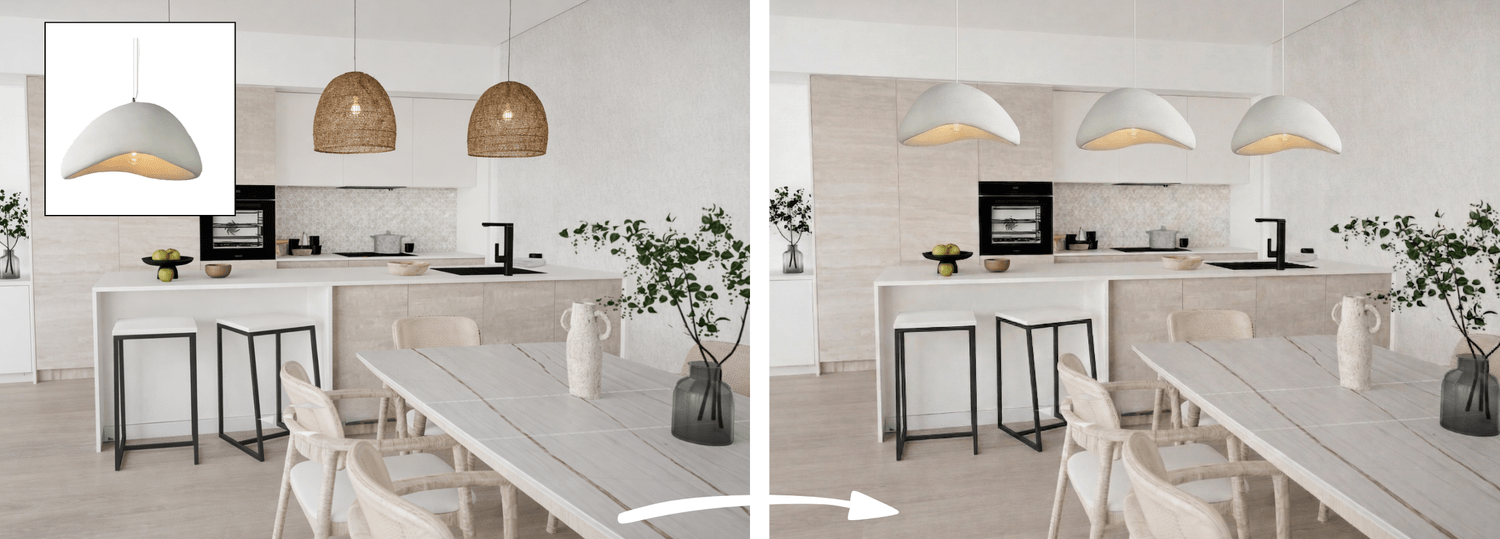
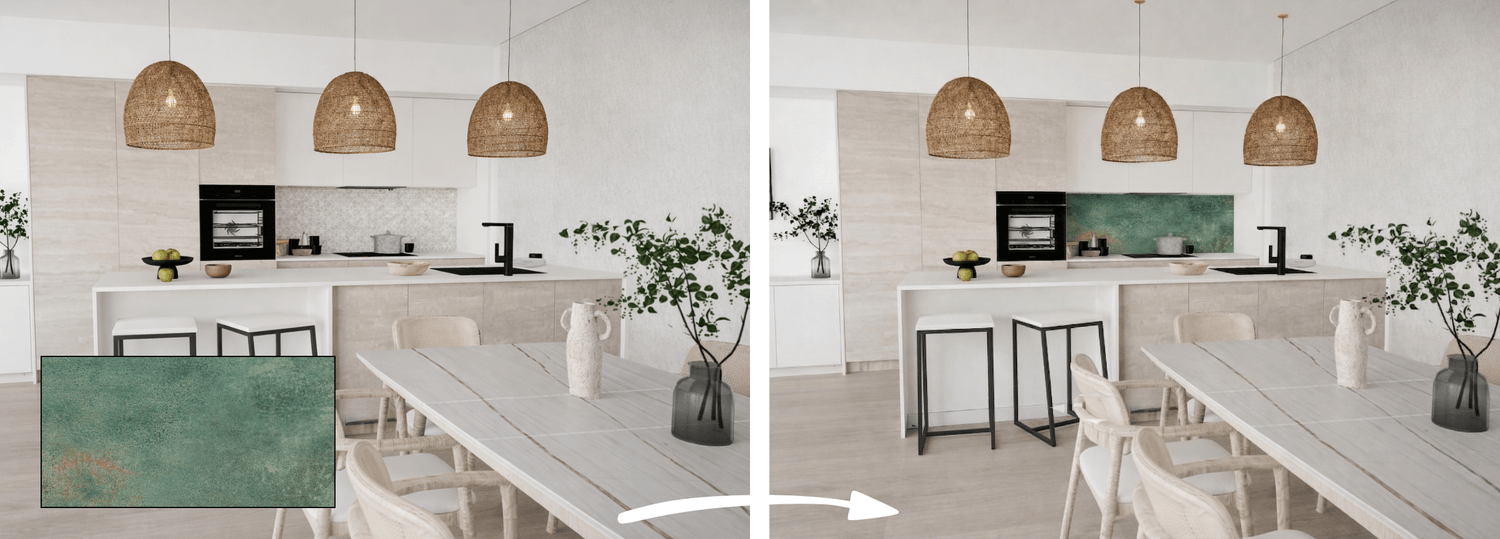
From moodboard to finished interior
If you have a moodboard and a photo of the space, it is possible to transform the room according to the mood and style of the moodboard. If the moodboard includes the main colors, furniture, and materials, AI can rearrange and visually reinterpret the space based on these elements within minutes.
This way, the concept becomes a concrete, photorealistic interior that helps the client make decisions and provides a clearer understanding of the planned final result.
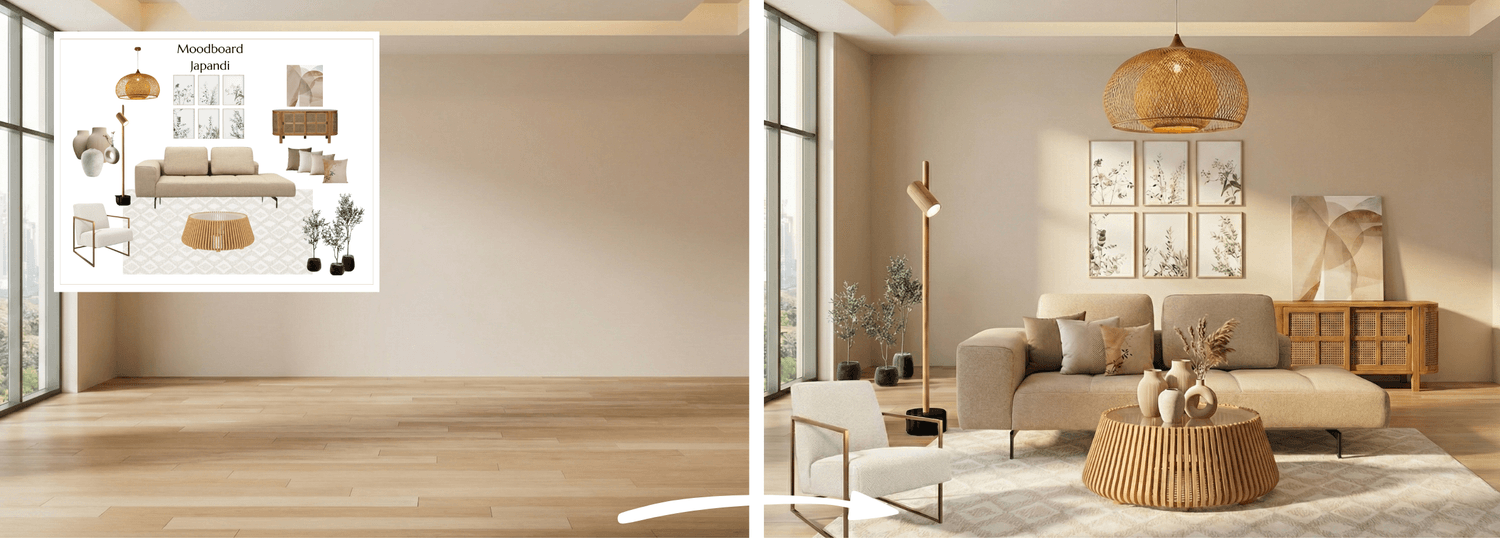
AI video generation – turning space into experience
Artificial intelligence can generate short, dynamic videos from static rendered visuals or from photos of completed interior design projects. These videos can elevate the presentation of interiors to a new level.
AI-supported videos bring spaces, ideas, and developing concepts to life. For interior interior designers, architects and home stagers, this is becoming an increasingly important visual tool. A short, professional interior video can significantly increase the impact of a presentation and help clients connect more easily with the designed space.
Video generation does not require knowledge of animation software. The key, as with rendering, is well-prepared visual input and clear, professionally written instructions. Once AI rendering is already working reliably in practice, video becomes a natural next step in developing visual communication.
Business advantages: why AI rendering is a competitive advantage
Photorealistic rendering with AI is a truly complex toolkit. It supports the designer’s work from concept development to presentation, while increasing visual quality and professional credibility. Those who integrate it effectively into their workflow can work faster and at a more professional level.
Faster decision-making for clients
Some clients find it difficult to imagine a space based only on a floor plan or a 3D design. They are often unsure how a specific wallpaper, wall color or piece of furniture will look in the actual space.
Photorealistic AI rendering makes these possibilities visually clear. When clients can see multiple alternatives side by side, they can make decisions more easily and quickly. For the designer, this means a shorter consultation process and a more predictable project workflow.
Stronger online presence
Photorealistic images and videos significantly increase professional credibility. Visual materials used on websites, social media or in advertisements can define your market positioning and play a key role in building trust.
Competitiveness and premium positioning
High-quality visualizations can help achieve higher project values, support the sale of premium services and make it easier to present and sell more complex solutions. Clients can more easily recognize the added value when the concept is presented in a professional way.
Rendering with AI
Rendering with artificial intelligence works well when you understand AI processes and the logic of giving instructions. Using AI tools alone does not guarantee professional results. The difference lies in whether you clearly understand:
how to communicate effectively with AI systems
how to build professionally accurate and structured prompts
what to do when the system hallucinates - meaning it does not respond correctly to the instruction and produces inaccurate or false results
how to integrate AI into your full design and business workflow
Photorealistic AI rendering, video generation and restyling are all skills that can be developed through conscious practice and the right methodology.
The right methodology - structured and built for interior designers
The AI for Interior Designers course was created specifically around rendering, restyling and video generation workflows. It covers not only which tools to use, but how to instruct them correctly - including what to do when results are inaccurate, how to control style, materials and lighting, and how to handle client revision requests without rebuilding the process from scratch.
The prompts and workflows are tested on real interior design projects. Students regularly go from spending hours on a single render to producing multiple high-quality variations in minutes.
→ More information about the course — AI for Interior Designers
500+ designers trained. No technical background needed. Lifetime access.
AI & Canva courses for interior designers, architects and home stagers
www.designerslearnai.com




© 2026 Designers Learn AI. All rights reserved.