AI floor plan
If you've ever spent hours redrawing a floor plan just because a client changed their mind about the kitchen placement, you'll understand why so many designers are switching to AI.
Creating 2D and 3D floor plans with AI: the ChatGPT workflow for interior designers
Beyond AI rendering, creating 2D and 3D AI floor plans is a practical, time-saving workflow for interior designers, architects, and home stagers. In this post, I'll walk you through exactly what's possible with ChatGPT Image 2.0 when it comes to floor plan work - and why it's changing the way interior designers work.
What creating 2D and 3D floor plans with AI actually looks like
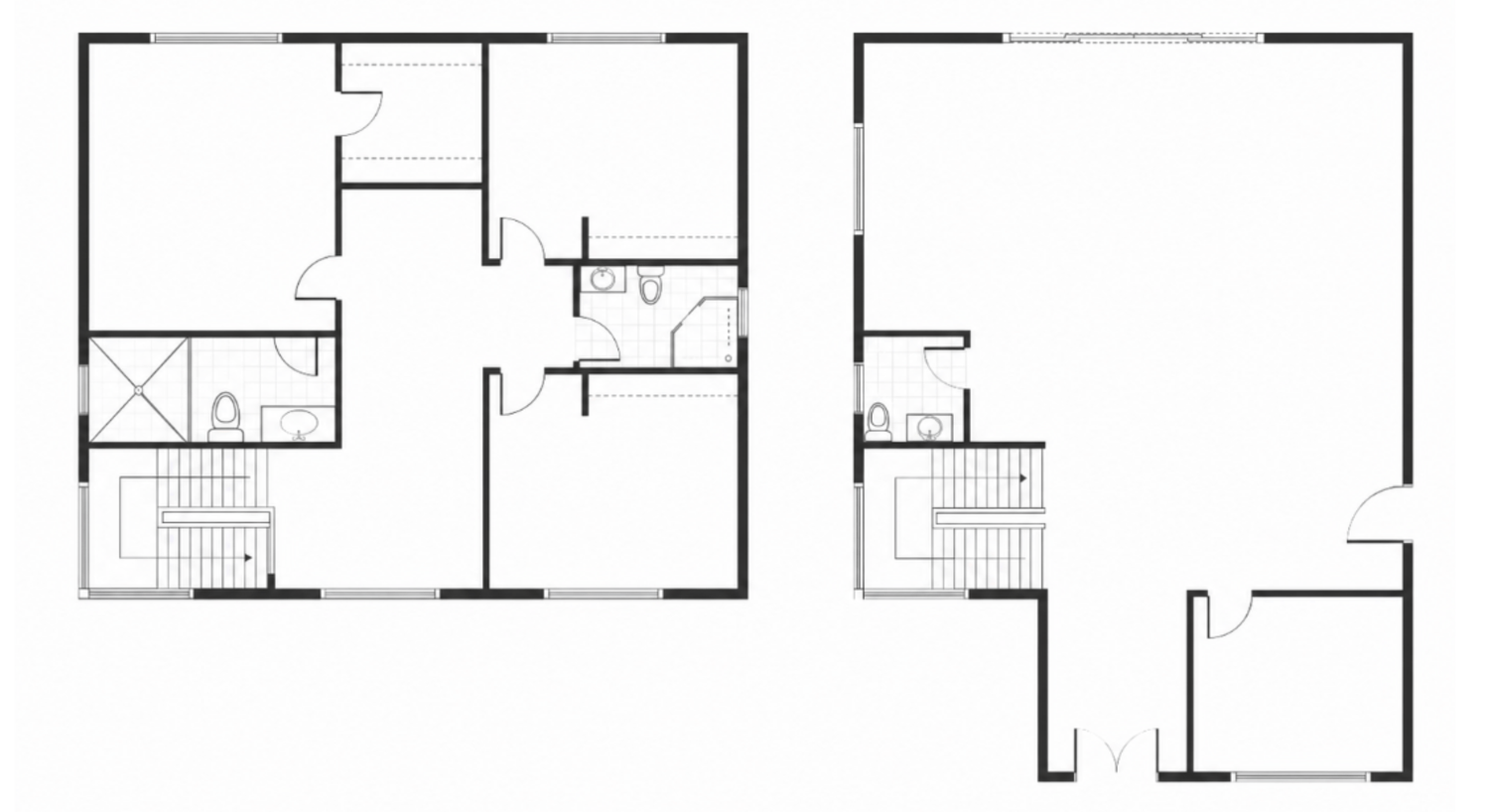
You don't need a polished drawing. Upload the floor plan to ChatGPT Image 2.0 and you get back a fully furnished 2D floor plan. Furniture placed to scale, circulation considered, zones defined. What makes this useful on real projects is how much the AI picks up from a rough sketch. It reads the space, interprets the structure and makes considered decisions about how to fill it. You can redirect those decisions - but the starting point is already strong.
Generating multiple AI floor plan options from one sketch
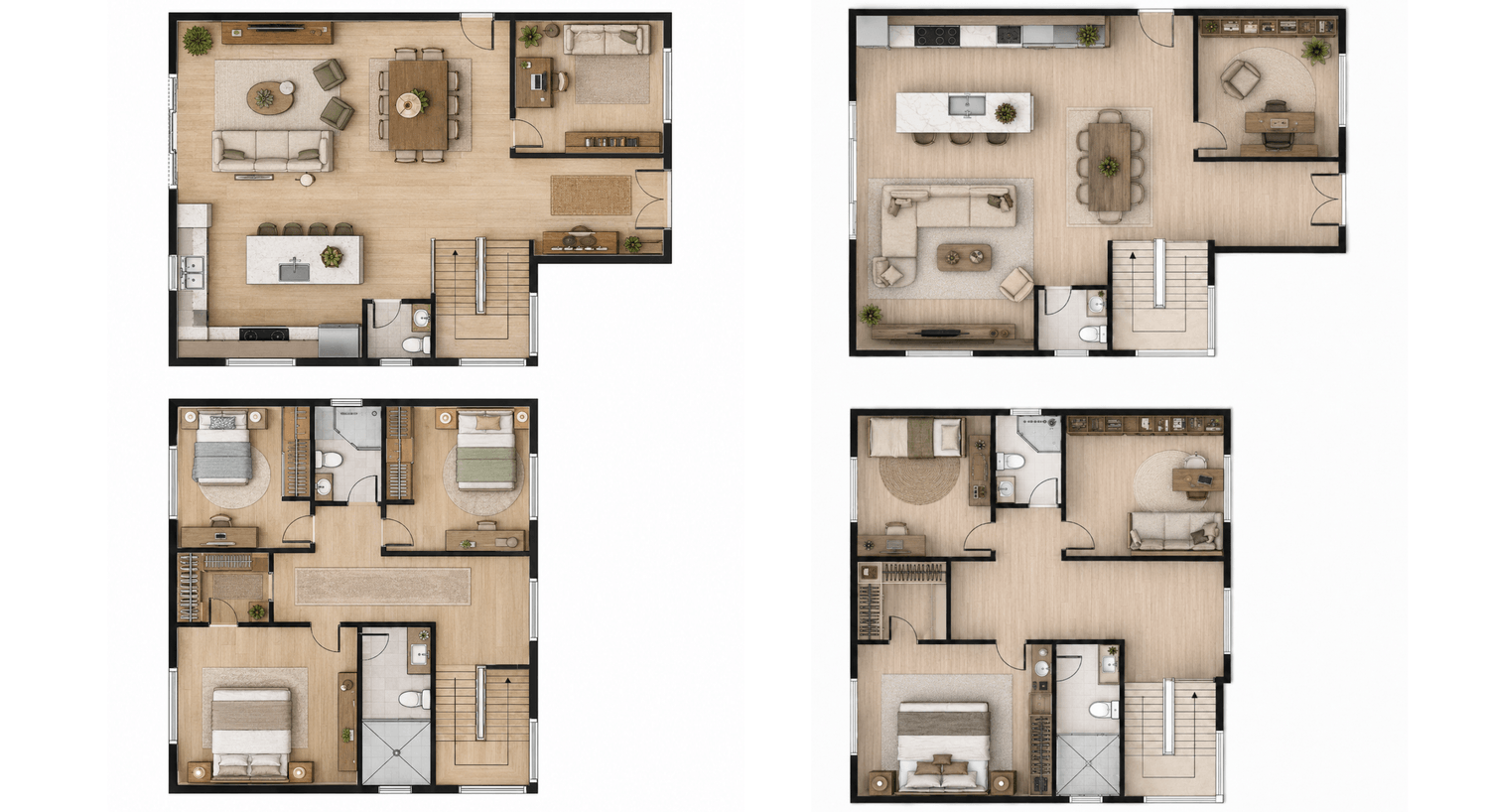
This is where creating 2D floor plans with AI earns its place in a client workflow. Instead of presenting one solution and waiting for feedback, you can arrive with two or three genuinely different layouts - different furniture arrangements, different zoning logic, different spatial flow. Each one based on the same original sketch.
You can also steer specific decisions. Move the kitchen to the opposite side. Open up the connection between living and dining rooms. Change the bedroom orientation. AI holds the architectural boundaries fixed and works within them, so you're directing design decisions rather than managing geometry.
"Clients respond differently when they have real options in front of them. Decisions move faster. Revision rounds shrink."
Want to try this yourself?
I've put together a free step-by-step guide that walks you through this entire workflow. It shows you exactly what's possible with ChatGPT Image 2.0, even if you've never used AI for design work before.
→ Download the FREE GUIDE here and start working with floor plans in a completely new way.
Lighting plans and millwork
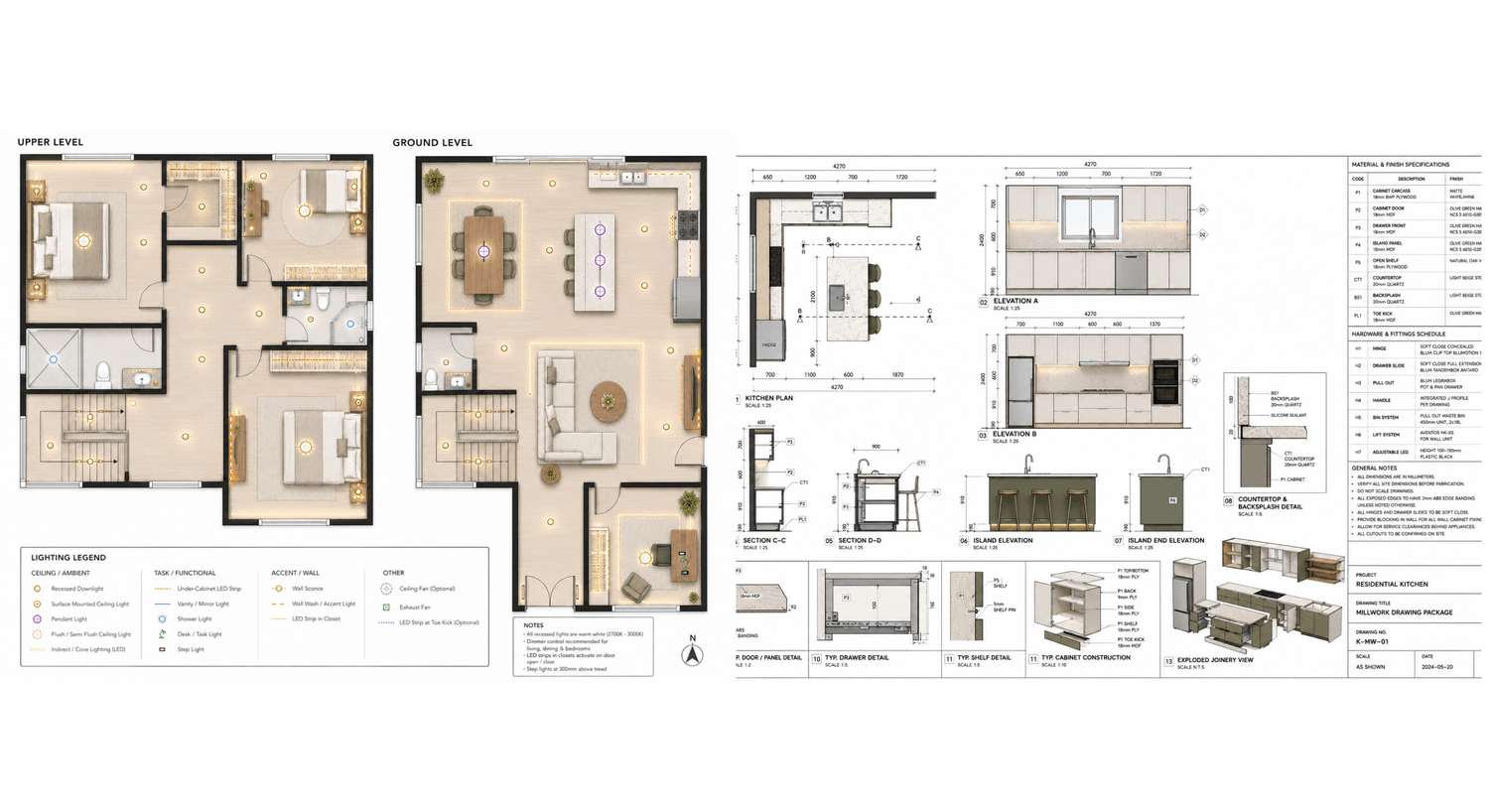
Here's something most designers don't expect: AI for floor plans extends well beyond the layout itself. From a finished floor plan, you can generate a lighting plan. Ambient, task and accent fixtures mapped across every room.
The same applies to millwork. Kitchen cabinetry elevations, sections, material specifications, dimensions. Generated directly from the floor plan you've already created.
From 2D to 3D AI floor plan
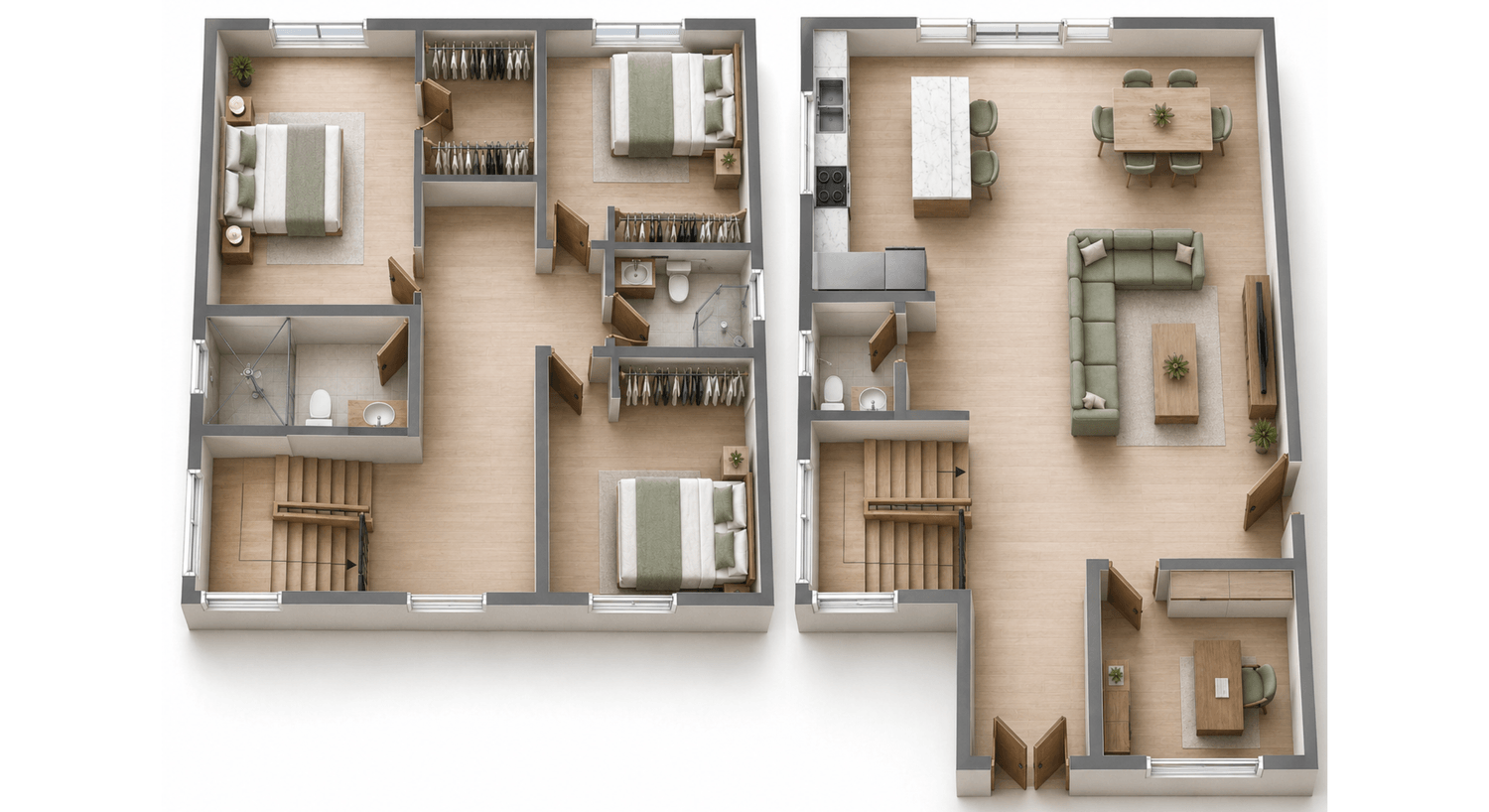
Once a layout is confirmed, the same image goes straight into a photorealistic 3D bird's-eye render. Proportions, furniture, materials - all carried over from the 2D. Nothing is redesigned or approximated.
You can also zoom into specific rooms. A close-up 3D view of the kitchen and living area, for example, rendered in the same style as the full plan. And if you want to control the palette - light floors, white walls, sage green and beige furniture - you specify it and it applies consistently.
Working from a completed layout
Not every project starts from scratch. If you already have a layout with furniture placed - from a previous tool, a client's existing plan or your own CAD drawing - you can upload that instead.
AI will render a high-resolution 2D visualization based on what's already there, preserving every element exactly as drawn. Same workflow, different starting point. Useful for presenting existing designs in a format clients actually engage with.
Get the full workflow as a free guide
I've documented this entire process - sketch to 2D, multiple options, lighting plan, millwork drawings, 3D renders - in a free guide. It shows the actual inputs and AI prompts and how the workflow connects from one step to the next.
No software to install. No prior AI experience needed. Just a workflow that works in ChatGPT image 2.0.
If you want to go further, you can also explore my courses:
AI for Interior Designers and Canva for Interior Designers - where I go deeper into advanced workflows for interior designers.
AI & Canva courses for interior designers, architects and home stagers
www.designerslearnai.com




© 2026 Designers Learn AI. All rights reserved.